
Download Webb Tattoo Stencil Generator – Tattoo Stencil Creation, Image Highlighting, Tattoo Design Tool
Overview
The Webb Tattoo Stencil Generator is a specialized mobile application designed for tattoo artists seeking to streamline the initial stages of their creative workflow. At its core, the app enables users to convert digital images into printable tattoo stencils by focusing on the highlighting of defining lines within a design. This functionality is particularly valuable during the pre-tattoo preparation phase, where precision and clarity are essential. The tool targets professional and emerging tattoo artists who rely on accurate line work to ensure consistency when transferring artwork onto skin. While still in its first release, the app establishes a foundational approach to digital stencil generation, offering a dedicated solution for a niche yet critical part of the tattooing process.
By simplifying the transition from image to stencil, the app helps reduce manual labor and potential errors in line tracing. Real-world use cases include preparing complex designs for client approval, refining intricate patterns, and ensuring uniformity across multiple sessions. The app’s focus on line highlighting rather than full image conversion suggests a targeted, efficient approach tailored to the needs of artists. Although the developer did not provide additional background information, the app’s release reflects a growing demand for digital tools that support tattoo artists in their technical workflow. As the industry increasingly embraces digital integration, tools like Webb Tattoo Stencil Generator play a vital role in modernizing traditional processes.
Key Features & Functionality
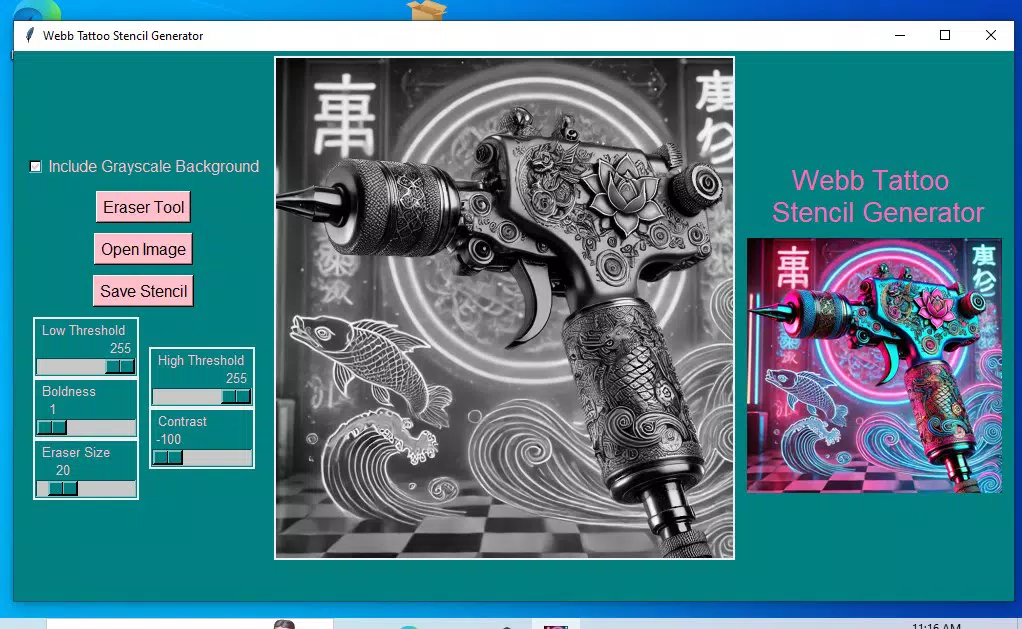
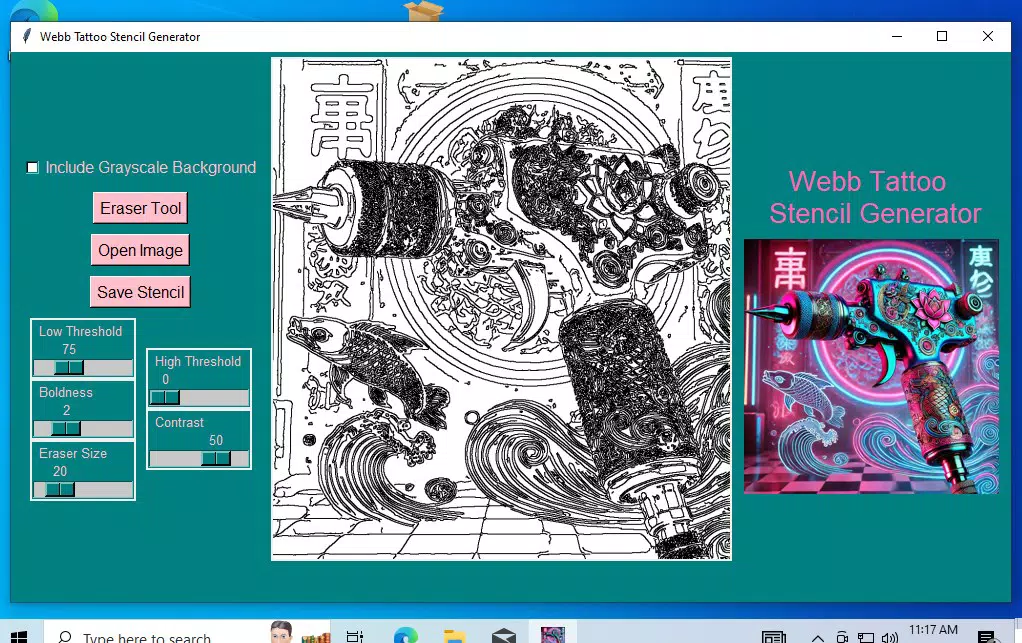
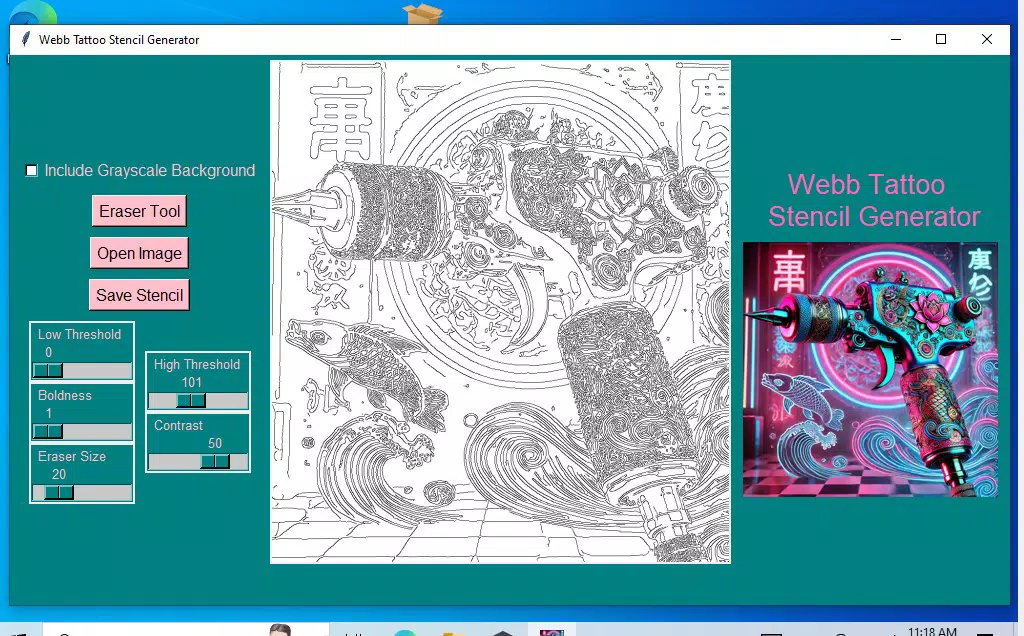
- Image Highlighting Functionality: The app allows artists to manually or semi-automatically highlight the key lines in a reference image. This feature emphasizes contours and structural elements, transforming detailed artwork into a simplified stencil-ready format. For example, an artist can use this to isolate the outline of a portrait’s facial features or the spine of a dragon design.
- Easy Saving Options: Users can save their processed images directly within the app’s local storage. This ensures that stencils can be accessed later without relying on external file management, reducing workflow friction and supporting iterative design adjustments.
- Compatibility with Stencil Printers: The app generates output files optimized for use with tattoo stencil printers. This compatibility allows for seamless transfer from digital design to physical stencil, minimizing setup time and ensuring accurate alignment during printing.
- Future Improvements Planned: The developer has indicated that the app will receive ongoing updates based on user feedback. This commitment suggests a roadmap for enhanced functionality, such as automated line detection, multi-layer support, or integration with design software.
- Affordable Pricing Strategy: Positioned as a first-release tool, the app is priced to reflect its current development stage. This approach lowers the barrier to entry for artists exploring digital workflow enhancements, encouraging early adoption and feedback.
Interface, UX & Performance
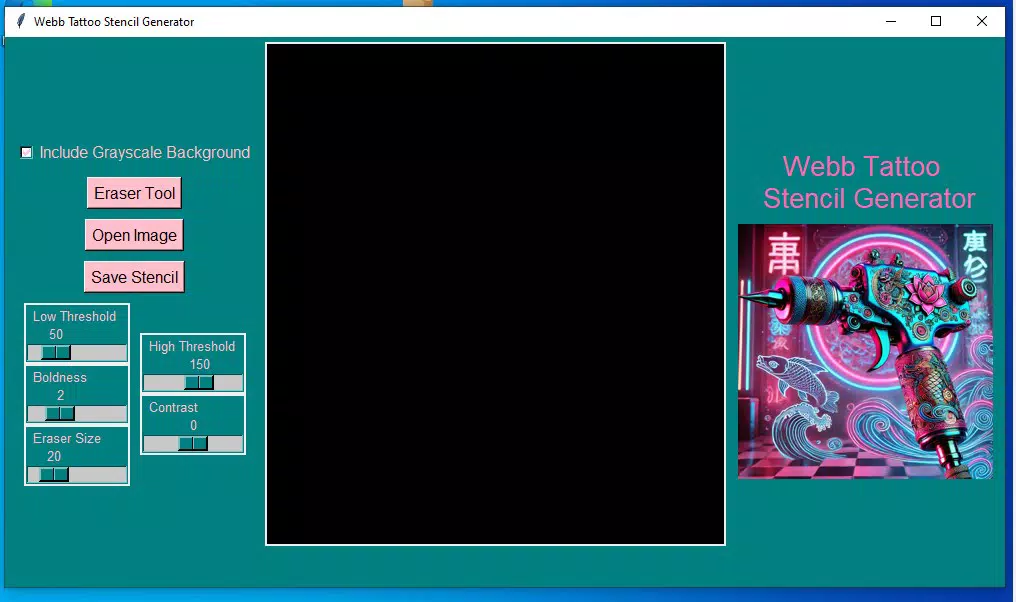
The user interface of Webb Tattoo Stencil Generator appears designed with simplicity and focus in mind. The layout centers around a clean canvas for image import and line highlighting, minimizing distractions and allowing artists to concentrate on their work. Navigation is likely intuitive, with primary actions such as importing images, applying highlights, and saving results accessible through clearly labeled controls. The visual style emphasizes functionality over ornamentation, which is appropriate for a professional tool used in high-precision tasks.
Although the developer did not list formal performance metrics, the app’s core functions—image processing and saving—suggest a responsive design optimized for real-time interaction. It is expected to perform well on mid-to-high-end mobile devices, though specific device requirements were not disclosed. Stability during image manipulation and file saving is likely prioritized, given the app’s purpose in a professional setting where workflow interruptions are costly. The app’s performance on lower-end devices remains unspecified, but its lightweight nature implies efficient resource usage. Overall, the UX is structured to support rapid workflow transitions, making it suitable for artists who need reliable, immediate results during client consultations or studio sessions.
Platform Compatibility & Technical Requirements
Webb Tattoo Stencil Generator is available on the Android platform. The current software version is not specified, and the app’s file size has not been disclosed. The developer did not provide minimum OS requirements or compatibility details for specific device models. As such, users should consult their device’s app store listing for up-to-date installation information. The app is designed for mobile use, suggesting it is optimized for touch-based interaction and screen sizes typical of smartphones and tablets. While no specific hardware requirements were listed, the app’s functionality implies it requires a device with sufficient processing power and storage to handle image editing tasks.
Pros and Cons
Pros
- Streamlines the initial stage of tattoo design preparation through focused line highlighting.
- Designed with professional tattoo artists in mind, addressing a specific workflow need.
- Offers direct saving functionality for easy access and reuse of stencils.
- Optimized for compatibility with tattoo stencil printers, reducing setup time.
- Priced affordably for a first-release tool, encouraging early adoption and feedback.
Cons
- Currently limited to basic line highlighting—no automated edge detection or advanced editing tools.
- Specific technical requirements and device compatibility were not disclosed.
- Limited functionality in the first release may not meet the needs of artists requiring full design software integration.
- Future updates are promised but not guaranteed or time-bound.
- App size and version details were not provided by the developer.
FAQ
Is Webb Tattoo Stencil Generator safe to download and use?
The app is available through official app distribution channels, and no security warnings have been reported. As with any third-party application, users should ensure they are downloading from trusted sources.
Can I use this app on iOS devices?
Currently, the app is only available on Android. There is no information indicating iOS compatibility at this time.
Does the app require an internet connection?
Based on its functionality, the app appears to operate offline, allowing artists to work without relying on connectivity during client sessions or studio use.
How often are updates released?
While the developer has stated that future improvements are planned, the frequency of updates has not been specified. Users are encouraged to check the app store for new releases.
Is the app free to download?
The app is not free; it is priced to reflect its early development stage. The exact cost was not disclosed in the provided information.
Final Thoughts + CTA
Webb Tattoo Stencil Generator presents a focused, practical solution for tattoo artists aiming to enhance their pre-tattoo workflow. Its core strength lies in its ability to transform images into clean, line-focused stencils with minimal effort, directly supporting the precision required in professional tattooing. While still in its initial release, the app demonstrates a clear understanding of its target audience’s needs and offers a cost-effective entry point into digital stencil creation. The planned future updates suggest a commitment to growth, making it a promising tool for artists who value innovation and efficiency. For those seeking a dedicated, mobile-first solution to streamline their design preparation, this app delivers tangible value. Download Webb Tattoo Stencil Generator now.


